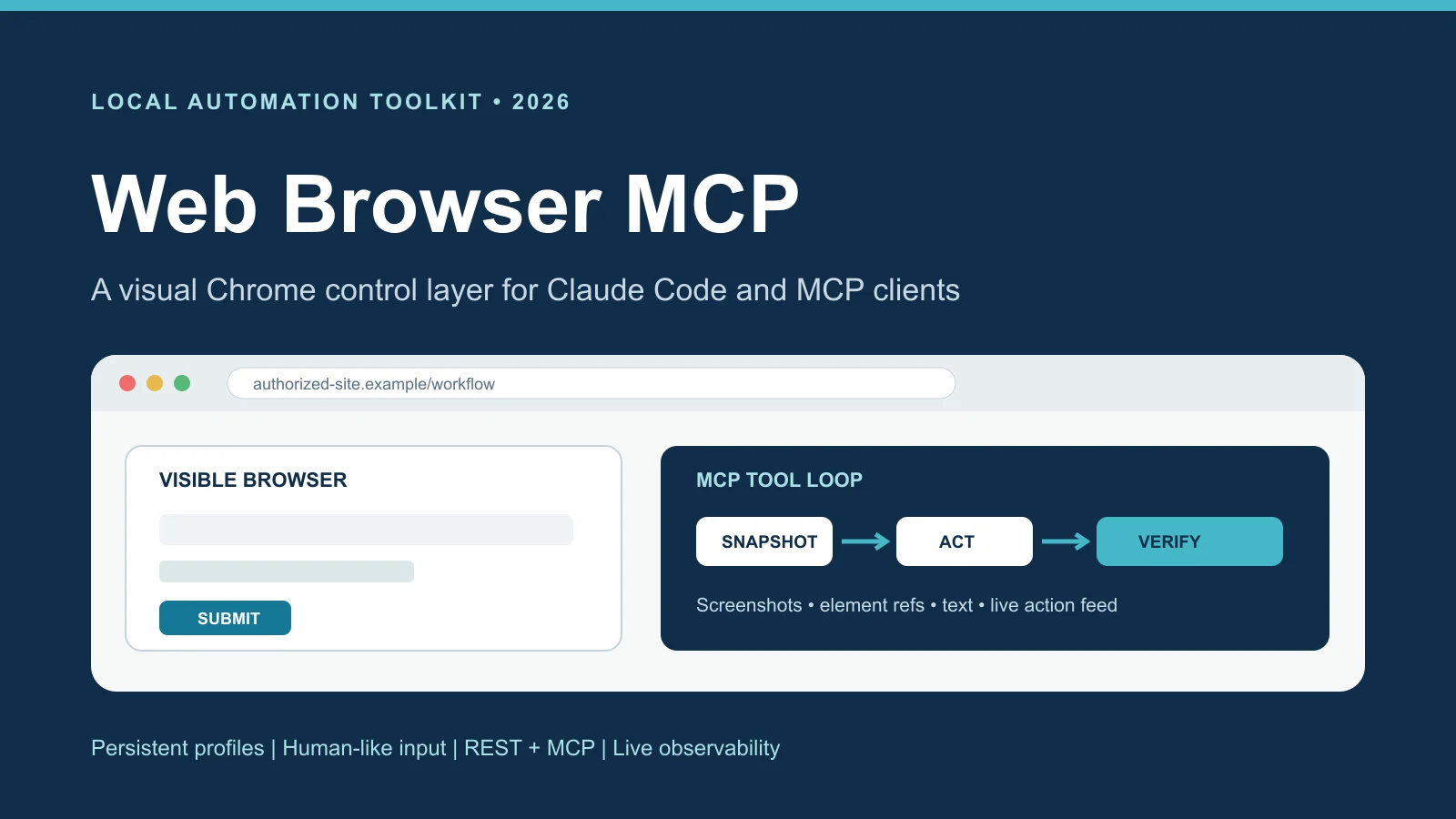
I built a local browser-control system that lets Claude Code and other MCP clients operate a real Chrome session instead of relying on raw HTTP requests. It combines persistent browser identities, human-like interaction, visual element snapshots, screenshots, page extraction, live observability, and a FastMCP adapter over one shared session API. I originally developed it as reusable infrastructure inside larger automation projects, then separated it into its own standalone repository so the browser engine, REST API, and agent tools could be used independently.
Why I built it
Several of my automation projects needed to work with real, JavaScript-heavy websites while keeping an authorized signed-in session. A normal scraper could download HTML, but it could not always see what a person saw, interact with controls that appeared after the page loaded, or let an AI reason from a screenshot. I kept rebuilding pieces of that browser layer, so I turned them into one reusable system.
The goal was to give an agent reliable hands without hiding what it was doing. The browser runs locally, every session has an ID, and the same session can be controlled through Python, a REST API, a command line, Anthropic's computer-use action format, or native MCP tools in Claude Code.
Two layers, one browser session
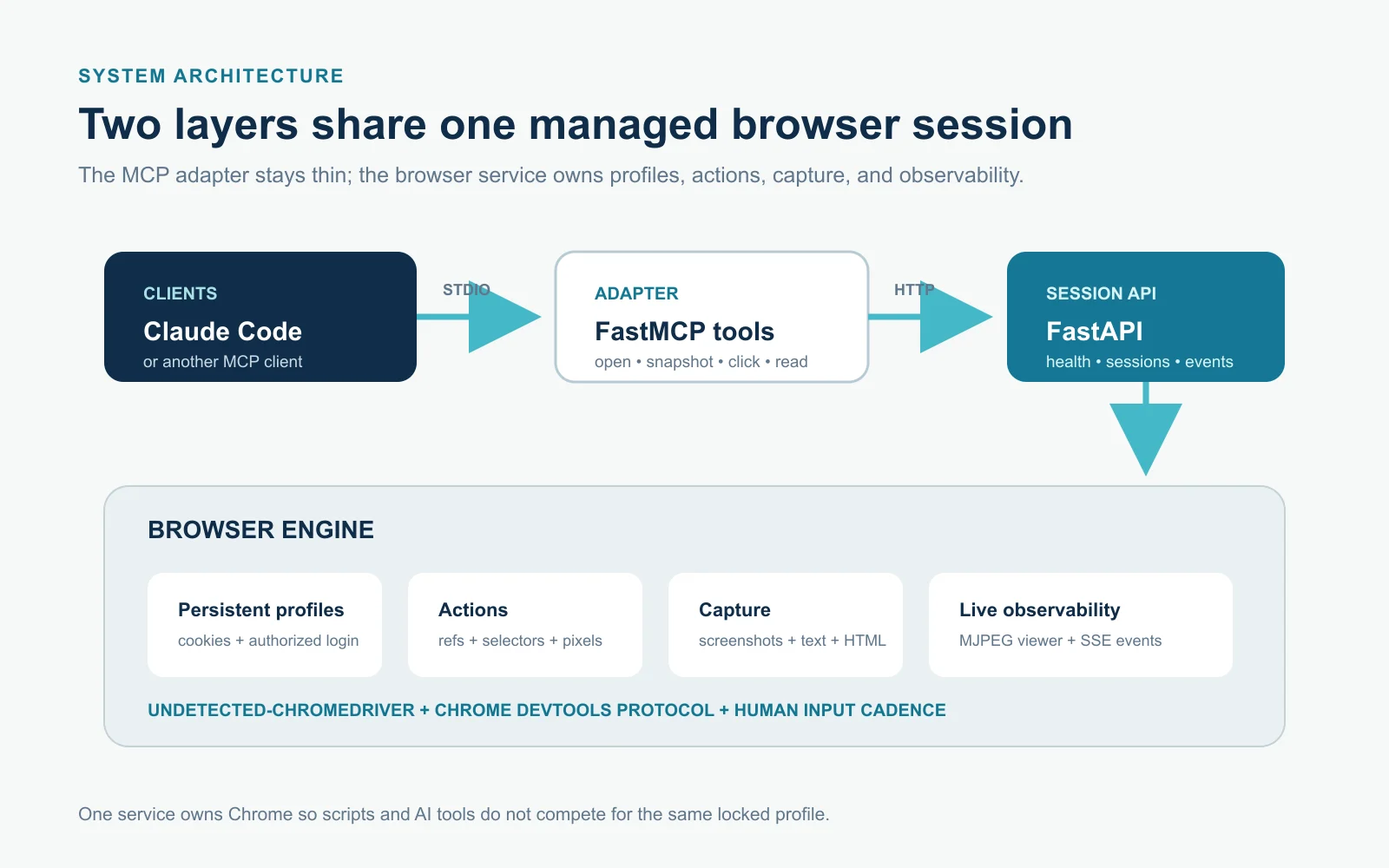
The lower layer is a FastAPI browser-session service. It owns Chrome profiles, launches undetected-chromedriver, keeps track of sessions and tabs, performs browser actions, captures pages, and exposes live activity. The upper layer is a thin FastMCP server that turns the most useful operations into tools such as browser_navigate, browser_snapshot, browser_click, browser_type, browser_read, and browser_screenshot.
Keeping the MCP adapter separate from the browser process solved an important practical problem: Chrome locks a profile to one process. Scripts and Claude can now share the same HTTP-managed session instead of starting competing browser instances or losing an authenticated profile between tools. The MCP server checks the service health, starts it when necessary, and reuses an existing session on the configured profile.
Giving an AI both vision and structure
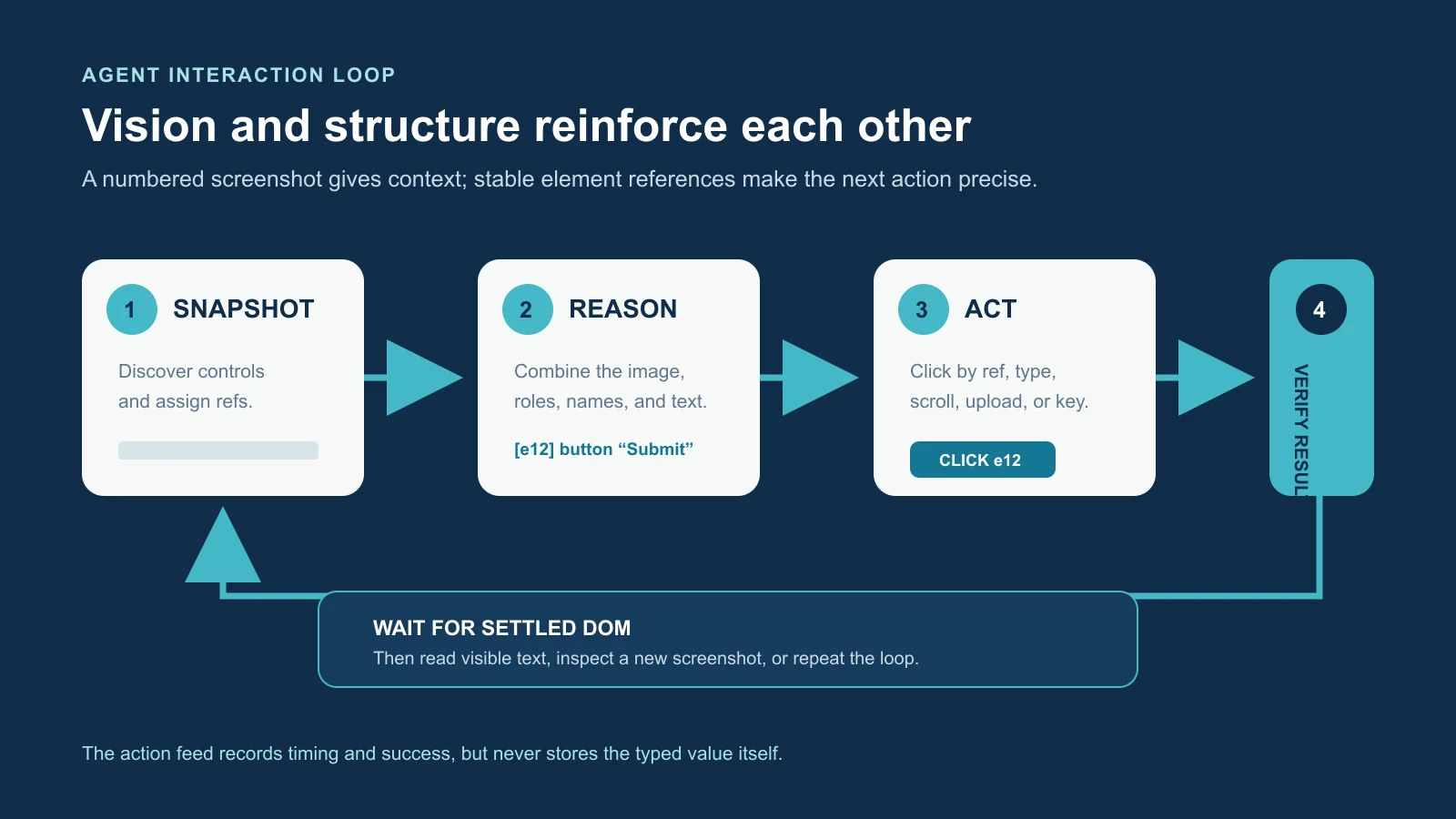
The most agent-focused feature is the set-of-marks snapshot. The server discovers interactive elements, assigns each one a short reference, records its role, accessible name, position, and visibility, and can draw numbered red boxes over a screenshot. Claude receives both the structured list and the image, so it can reason visually and then click a specific reference instead of guessing a brittle CSS selector or screen coordinate.
The normal control loop is open, navigate, snapshot, act, and verify. Navigation can wait until the document is loaded and the DOM has stopped changing, which helps with single-page applications that report themselves ready before their useful interface appears. After an action, the agent can read clean visible text, take another screenshot, wait for text or a selector, or inspect the updated snapshot.
A complete browser-control surface
The system supports clicks by element reference, selector, or screenshot coordinate; human-paced typing; key chords; scrolling; mouse movement and drag actions; file uploads; select menus; JavaScript execution; visible-text extraction; raw HTML; PNG screenshots; and opening, switching, and closing tabs. The lower-level computer endpoint accepts the same general action vocabulary as Anthropic's computer-use tool and returns a fresh screenshot after each visual action.
Sessions are addressable by generated IDs and can run with different profiles, viewport sizes, headless settings, and human-behavior options. That makes the server usable as a one-browser MCP tool or as shared infrastructure for several automation jobs.
Persistent identities and cautious stealth
Each browser identity is a persistent Chrome profile stored in an isolated managed directory. Cookies and authorized logins survive between runs, while friendly labels, notes, creation time, and last-used time are kept in a small JSON registry. The launcher detects the installed Chrome version, selects the matching driver, clears a stale profile lock only when its owning process is dead, and avoids interfering with my normal daily browser by default.
The stealth layer uses undetected-chromedriver, removes common automation signals, keeps language settings consistent, and applies human-like mouse paths, typing delays, reading pauses, and scrolling. It deliberately does not fabricate a different hardware fingerprint because mismatched GPU, font, screen, locale, and network signals can be more suspicious than the real machine. Headless mode is available but treated as the more detectable option.
Watching and debugging an agent live
Every browser action is recorded with its sequence, time, duration, success state, and a short safe description. Typed values are represented only by their length so a password or private message does not leak into the activity feed. A Server-Sent Events stream publishes those records live for one session or across all sessions.
The server also exposes an MJPEG page stream and a ready-made viewer that places the live browser beside the action feed. This made it much easier to understand why an automation was stuck, supervise a long task, and build a control interface without screen-sharing the entire desktop.
Where it is useful
I designed the toolkit for authorized workflows where a plain request library is not enough: extracting information from rendered applications, testing an interface from a user's point of view, operating an internal dashboard, uploading content, collecting screenshots, or letting an agent complete a repeatable multi-step browser task. Persistent profiles are especially useful when a workflow requires a legitimate account and would otherwise stop at every login.
It can also act as a debugging bridge between scripted automation and visual computer use. A workflow can use reliable selectors and element references for routine steps, fall back to screenshot coordinates when the page offers no useful structure, and leave a visible event trail for a person to review.
Boundaries and next steps
This is a local toolkit, not a hosted browser service, and it should only be used on websites and accounts where automation or testing is authorized. The current code does not provide proxy routing. It has a timezone override that can be aligned with a proxy supplied somewhere else, but describing that as built-in proxy support would be inaccurate.
The next portfolio step is a short side-by-side demonstration using a clean browser profile and a safe test page. The recording will show Claude asking for a snapshot, receiving the numbered controls and screenshot, choosing an element reference, completing a small form or navigation task, and verifying the result while the live viewer displays the browser stream and action log. No personal accounts, tokens, notifications, or private page data will appear in the recording.