I built this desktop toolchain for TTM Technologies to turn a slow, error-prone cybersecurity reporting task into a reviewable workflow. It cross-references DISA STIG findings with the controls required by a system's NIST Risk Management Framework, generates an editable answer sheet, converts approved answers to XML, and applies them to a CKL checklist only when its safety checks pass. I developed the matching and XML-editing logic from scratch with Python's standard library, wrapped each stage in a custom Tkinter interface, and iterated on the design with the people who would use it for quarterly reporting.
The reporting problem
Defense programs use the NIST Risk Management Framework to decide which security controls apply to a system. DISA STIG benchmarks then translate many of those requirements into concrete technical checks. Automated SCAP scans can evaluate part of a benchmark, but the remaining findings still need evidence, analysis, or a documented reason that a control does not apply.
For this project, that information arrived in more than one place: a CKL checklist held the scan results, while additional decisions were collected in spreadsheets. The final CKL still had to remain structurally valid so it could be reopened and reviewed in DISA's checklist tooling. TTM asked for a faster way to reconcile those sources without turning a bulk update into a blind overwrite.
Learning the workflow before automating it
I started by learning the process on my own computer. I downloaded the Chrome STIG, ran a DISA SCAP scan, opened the resulting CKL, and traced how vulnerability IDs, statuses, controls, comments, and supporting evidence moved through the reporting workflow.
After conversations with the client, I whiteboarded a post-scan toolchain modeled around Answer Files: first identify the findings that need human review, then let a reviewer correct or approve the proposed answers, and only then update the checklist. That separation became the most important design decision in the project.
Stage 1 — build the review queue
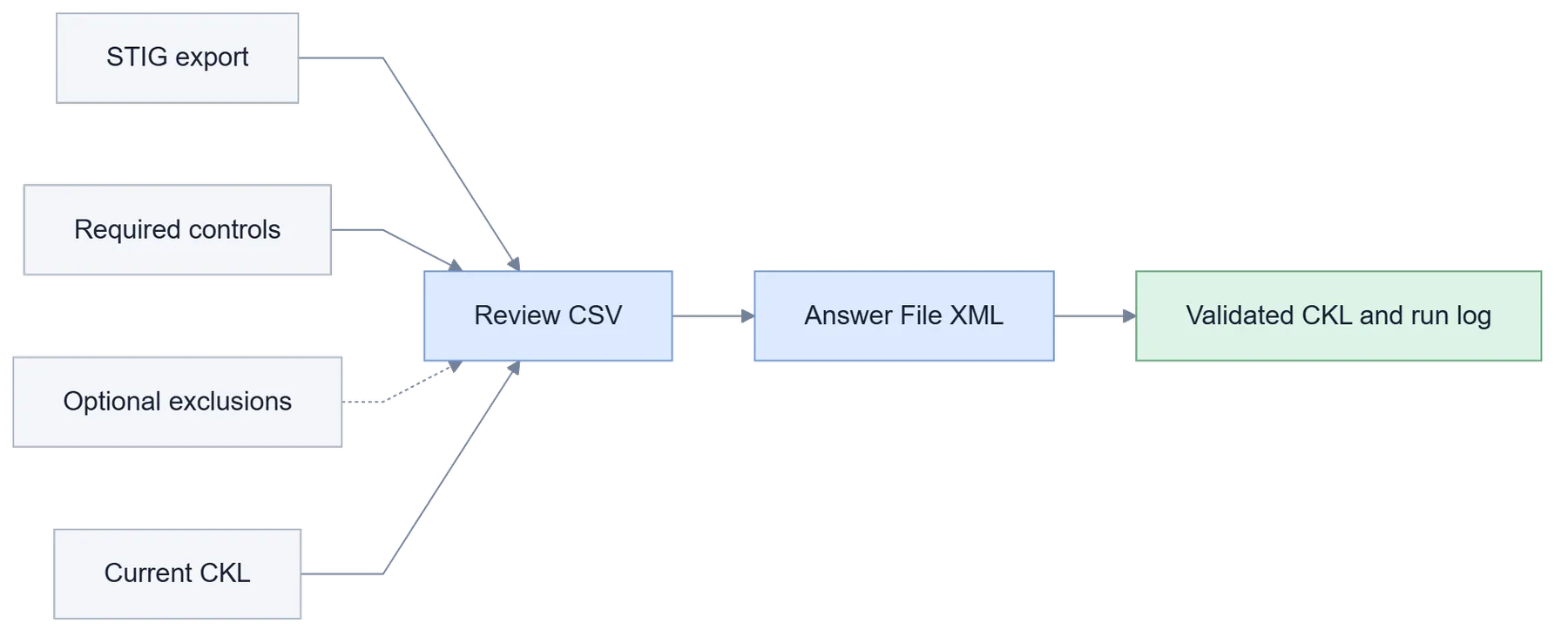
The first application reads a STIG CSV export, a list of required RMF controls, an optional list of controls that were explicitly ruled out, and the current CKL. For each vulnerability it extracts the NIST control references from the CCI text and compares them with both control lists.
I represented those comparisons as two small vectors: one records which referenced controls are required, and the other records which required controls are also in the explicit exclusion list. A finding is proposed for review when the number of required matches minus the number of excluded matches is zero. That catches both useful cases: none of the finding's controls apply, or every applicable match was deliberately excluded.
The generated CSV does not hide its reasoning. Every row carries the vulnerability ID, the current CKL status as an expected-status guard, the proposed new status, a generated comment, and an explanation of why the row was selected. The reviewer can inspect and edit that file before anything touches the checklist.
include when:
    sum(required_matches) - sum(explicit_exclusions) == 0

Type 0: no referenced controls are required
Type 1: all required matches were explicitly excluded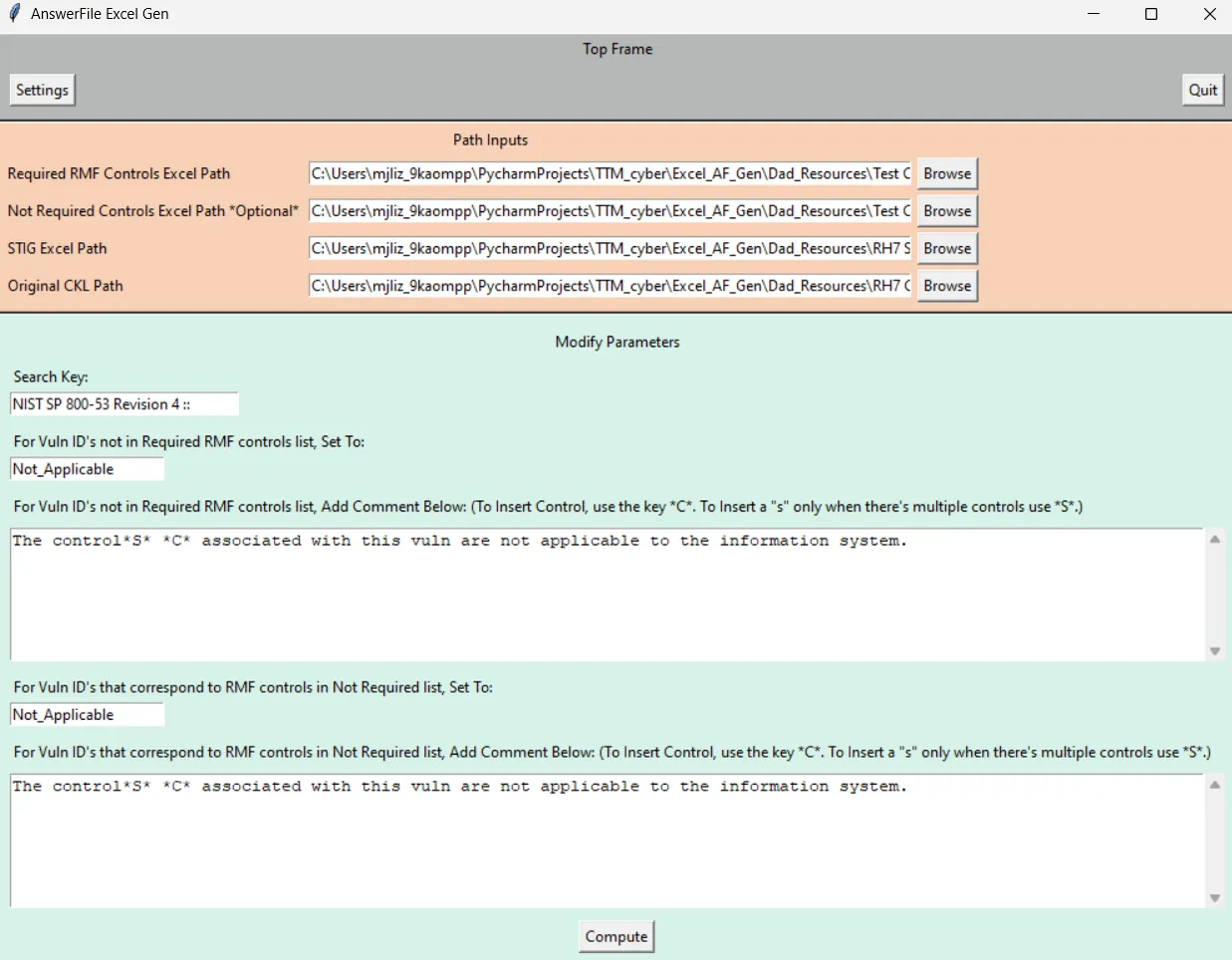
Stage 2 — convert approved rows into an Answer File
The second application turns the reviewed CSV into a structured XML Answer File. Each vulnerability receives an answer-key entry containing its expected status, destination status, and reviewer-approved comment. Keeping this conversion separate made the spreadsheet a deliberate checkpoint instead of an invisible intermediate file.
I wrote reusable XML navigation helpers for this project rather than depending on a large external package. They describe a location as a path of tag, attribute, and value selectors, then handle searching, reading, inserting, and saving the matching XML elements. The runtime code uses only Python's standard library, which also kept the deployment footprint small for a security-sensitive environment.
<Vuln ID="V-DEMO-002">
  <AnswerKey Name="DEMO">
    <ExpectedStatus>Not_Reviewed</ExpectedStatus>
    <ValidTrueStatus>Not_Applicable</ValidTrueStatus>
    <ValidTrueComment>Reviewed explanation</ValidTrueComment>
  </AnswerKey>
</Vuln>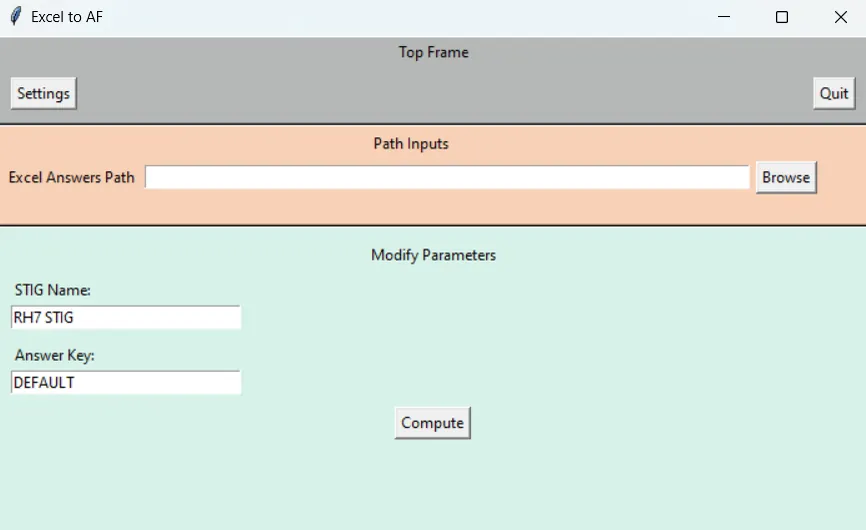
Stage 3 — update the CKL safely
The final application walks the checklist, looks up each vulnerability and answer key, validates the status names, and compares the current CKL status with the expected status stored in the Answer File. It applies the change only when those statuses match. A Manual expected status exists as an explicit override, but a Manual destination is rejected.
That expected-status check protects against stale assumptions. If a scan result changed after the answer sheet was prepared, the program leaves the finding untouched and reports Not as Expected instead of silently replacing newer data. It also reports skipped findings, invalid status values, manual overrides, Answer File entries missing from the CKL, and every successful change.
The GUI lets the reviewer filter those categories while keeping the full operation log. Comments can use placeholders for the answer key, old and new status, approved answer text, and run date, so each automated change still leaves an audit-friendly explanation.
if statuses_are_valid and (current == expected or expected == "Manual"):
    apply_status_and_comment()
else:
    log("Not as Expected")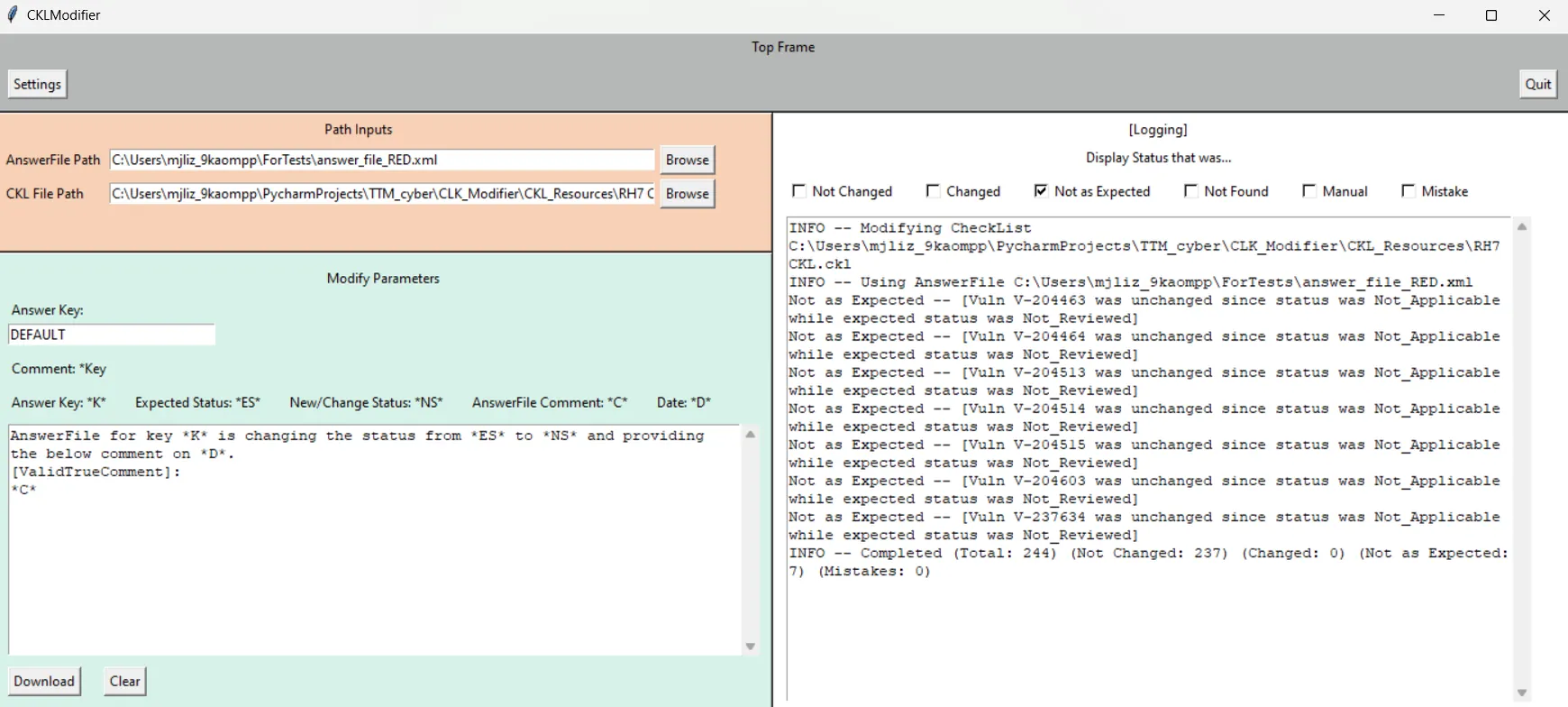
Keeping the file valid
A CKL is more than a table with an XML extension. The editor has to preserve repeated STIG_DATA fields, the original document header, leading comments, the checklist hierarchy, and valid XML encoding. My parser stores repeated vulnerability attributes as lists, rebuilds only the vulnerability records after editing, preserves XML comments while reading, and formats the saved document before it returns to the checklist viewer.
I also expanded the original request beyond bulk replacement. Input validation, expected-status gating, automatic format checks, templated comments, and the categorized result log all came from working backward from the ways a quarterly report could fail.
Verification with synthetic data
For this portfolio rebuild I ran the original processing modules end to end against a completely synthetic four-vulnerability checklist. The first stage correctly selected one finding with no required control and one whose only required control was explicitly excluded. The converter produced a valid Answer File, and the CKL modifier applied the matching change while refusing a deliberately stale expected status and reporting an Answer File record that did not exist in the checklist.
The test used fictional IDs and comments and did not open or modify any contractor data. It also confirmed that the original source compiles under its Python 3.11 environment and that the saved result can be parsed again as XML.
SYNTHETIC END-TO-END TEST PASSED
Review rows generated: 2
Guardrails observed: Changed, Not as Expected, Not Found
From prototype to a working reporting tool
The project grew through several versions: early XML experiments, a single-pass Answer File modifier, and finally the three-application review pipeline. I moved from command-line experiments to purpose-built Tkinter interfaces after feedback from the client, and I added checks that were not part of the initial request because the people using the tool needed to know why a record changed or did not change.
The finished program was used for five quarterly reporting cycles and helped deliver the results on time each quarter. Just as important, the project taught me how to learn an unfamiliar compliance domain, translate a customer's process into explicit rules, and design automation that remains reviewable when the file it edits is part of an audit trail.
What I would improve next
The original tools are intentionally direct, but the source also shows where I would take a production revision. The XML helper classes should become one tested module instead of three evolving copies; the Answer File index should be built once rather than searched repeatedly; long transformations should run outside Tkinter's UI thread; and the file schemas deserve automated fixture tests and clearer in-window error messages.
Those improvements would preserve the review-first architecture while making the system easier to maintain, faster on large benchmarks, and safer to extend to new STIG exports.