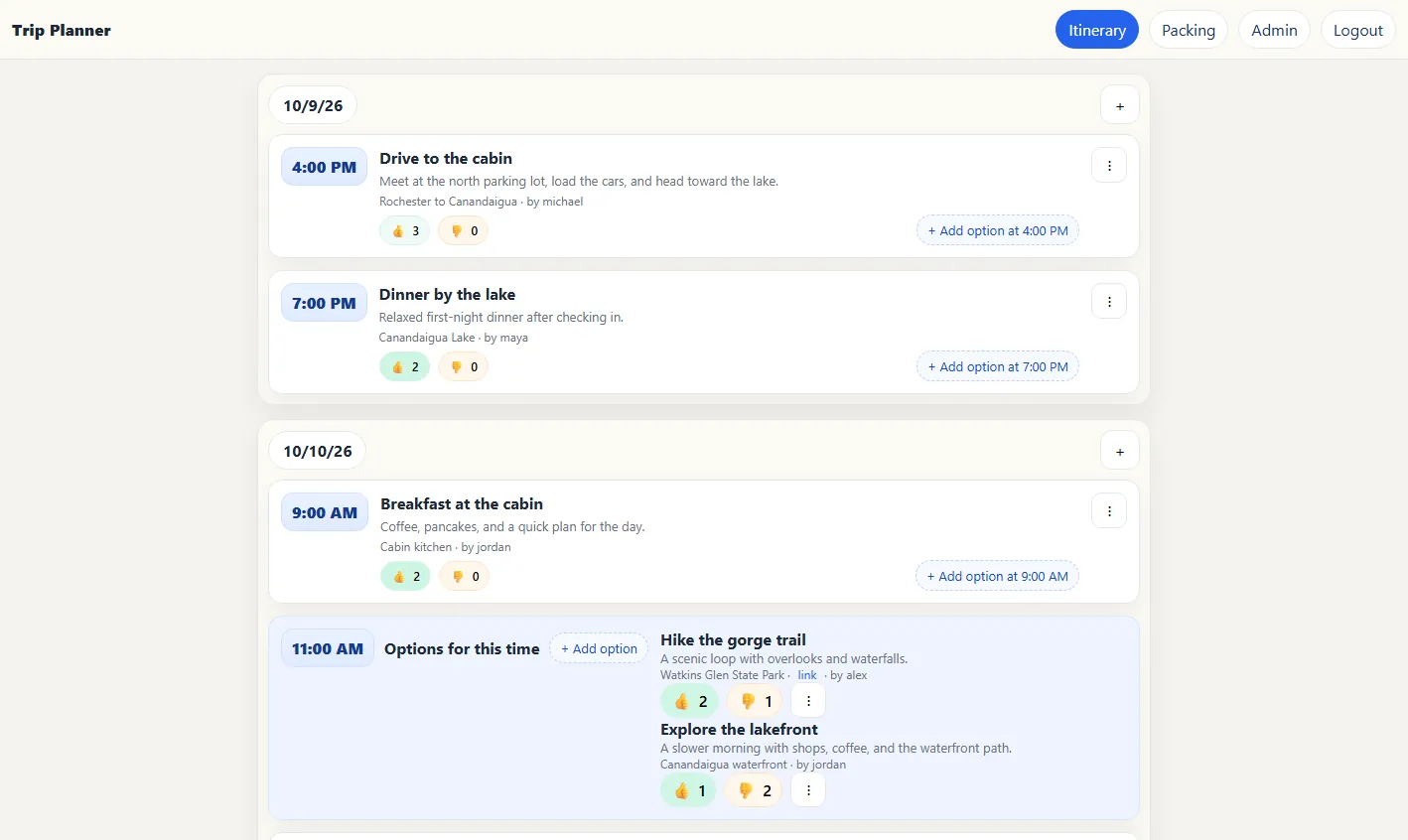
I built Trip Planner as a shared home base for organizing a group trip without losing decisions across a long message thread. The Flask application combines a day-by-day itinerary, competing plans at the same time, participant voting, a collaborative packing list, and account administration in one responsive interface. Underneath the simple UI, hand-built Server-Sent Events keep every open browser current while locked JSON writes protect the shared data.
Planning outside the group chat
Trip Planner gives everyone on a trip the same source of truth. After signing in, a participant can browse the schedule by day, add an event with a time, title, description, location, or reference link, and see changes made by the rest of the group without refreshing the page.
The interface is intentionally compact: itinerary cards surface the information needed while traveling, and a small participant count shows how many people can weigh in. I kept the client in plain HTML, CSS, and JavaScript so the application could stay focused on the group workflow instead of a large front-end stack.
Conflicts become choices
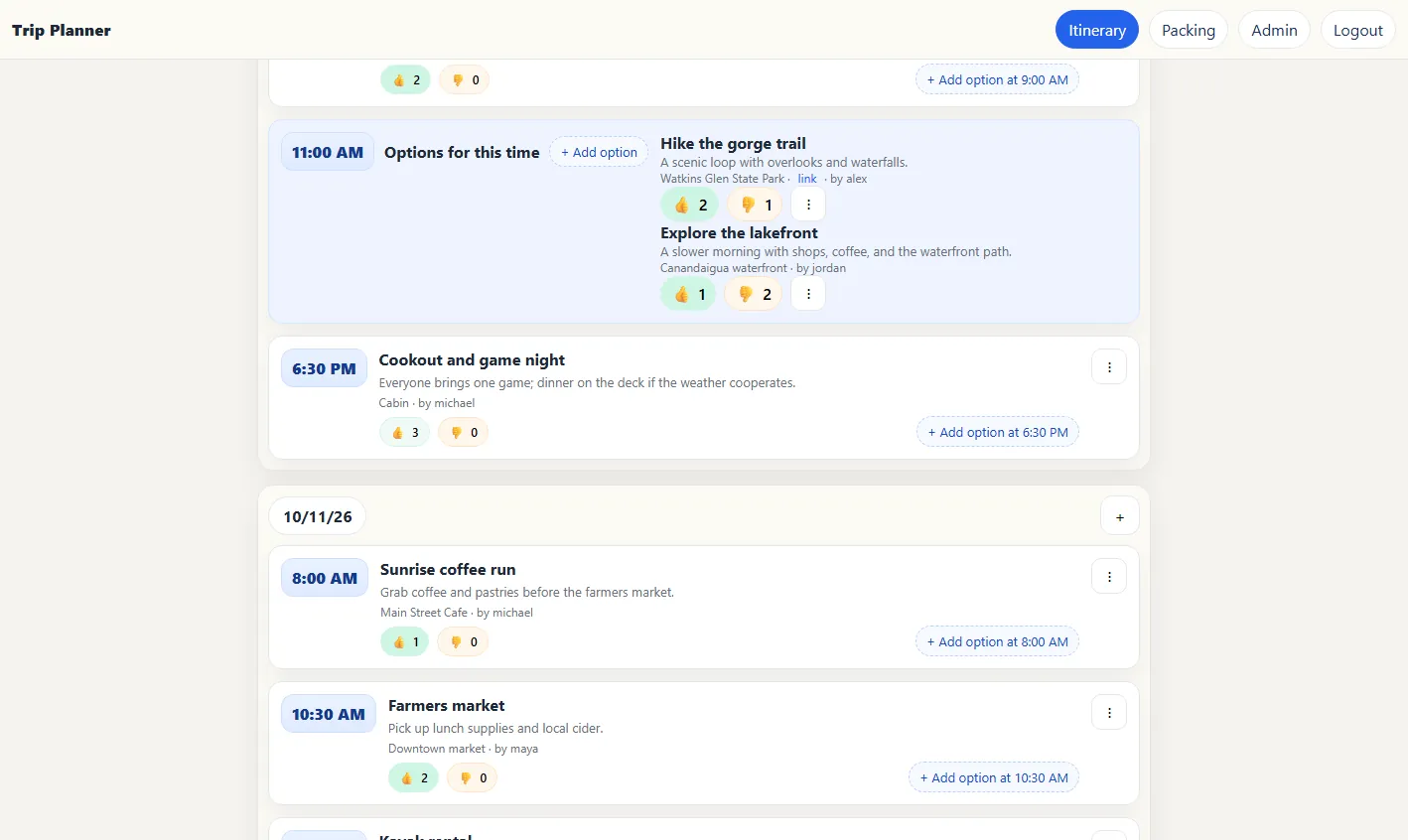
Two ideas scheduled for the same time are grouped into an explicit set of options instead of silently overlapping. Each signed-in participant can vote an option up or down, change that vote later, and immediately see the totals. That turns a scheduling conflict into a small, visible decision the group can resolve together.
Ownership rules prevent one participant from casually erasing someone else's suggestion. An event can be removed by its creator or an administrator, and the server also permits deletion after every other participant has downvoted it. The rule joins the account system, vote records, and event lifecycle rather than treating voting as decoration.
Real-time updates without a front-end framework
I implemented the live layer with Server-Sent Events. Every connected browser receives a bounded queue, and the Flask server publishes an update after itinerary, voting, packing, or account data changes. A keepalive is sent during quiet periods so intermediaries do not mistake an idle trip for a dead connection.
This is a deliberately small real-time design: the browser listens to one event stream, then requests fresh data and re-renders the relevant view. Bounded queues keep a slow or abandoned client from growing memory forever. The implementation is process-local, which is appropriate for the original single-process deployment but would need Redis or another shared message broker before scaling to multiple workers.
browser action -> Flask route -> locked JSON write
              |
              +-> publish update -> bounded client queues -> EventSource -> refresh view
A safe write path for simple storage
The project stores its itinerary, votes, packing items, and users in JSON rather than a database. To make that choice safer under concurrent requests, every update follows a locked read-modify-write sequence using Portalocker. The server rewinds the file, writes the complete new document, flushes and fsyncs it, and truncates any stale bytes left by a previously longer version.
That approach kept deployment and inspection simple while teaching the boundary between a convenient file format and a storage system. For a larger or internet-facing version, I would move the records to a database with stable identifiers and transactions, then keep the same API and interface concepts.
Packing is part of the plan
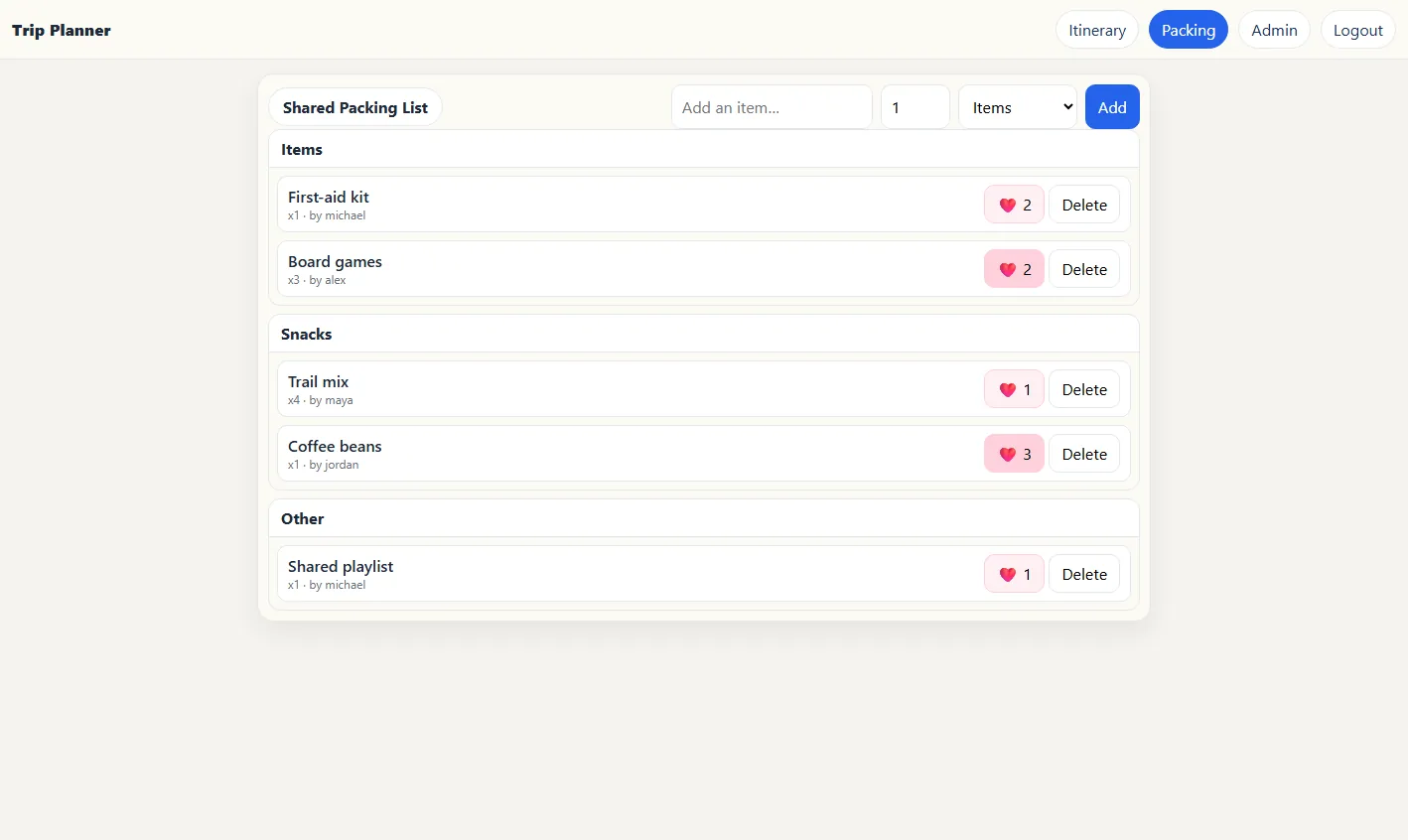
A separate shared packing view covers the other half of group travel. Participants can add an item, quantity, and category; give useful suggestions a heart; and remove their own entries. Items are organized into Items, Snacks, and Other so equipment, food, and general preparation remain easy to scan.
The heart state is recorded per user, just like itinerary voting, so reopening the application preserves who has reacted instead of storing only an anonymous total.
Accounts, roles, and ownership
Users authenticate with hashed passwords, and the current account becomes the owner of anything it creates. Administrators get a dedicated account screen for adding participants, resetting passwords, deleting accounts, and changing roles. Those roles are checked again on the server for protected actions rather than relying on whether a button is visible.
The event editor uses the same compact approach as the rest of the application. Only a title is required; time, description, location, and link can be added when they help the group.
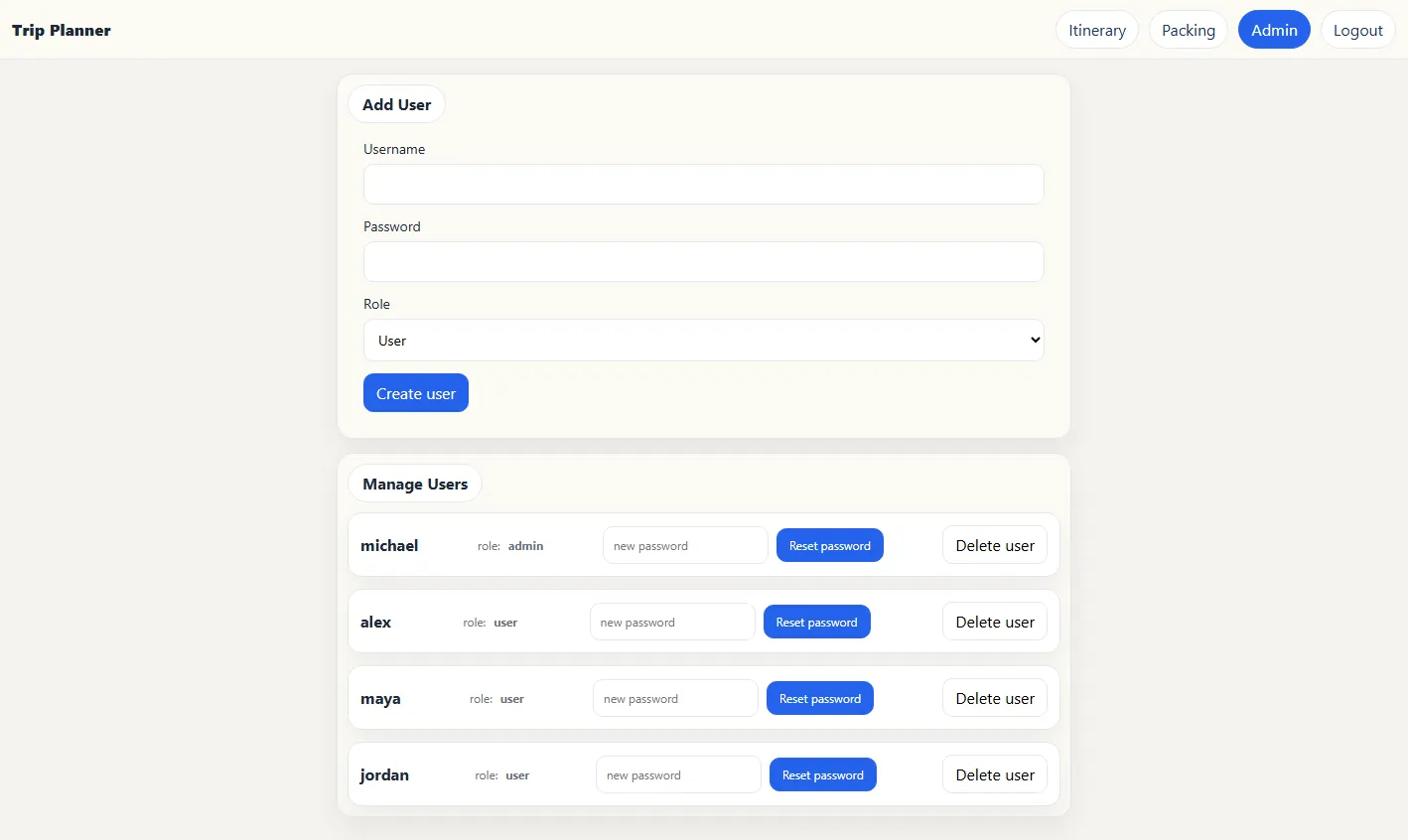
Administrators can invite the group and manage access from inside the application. 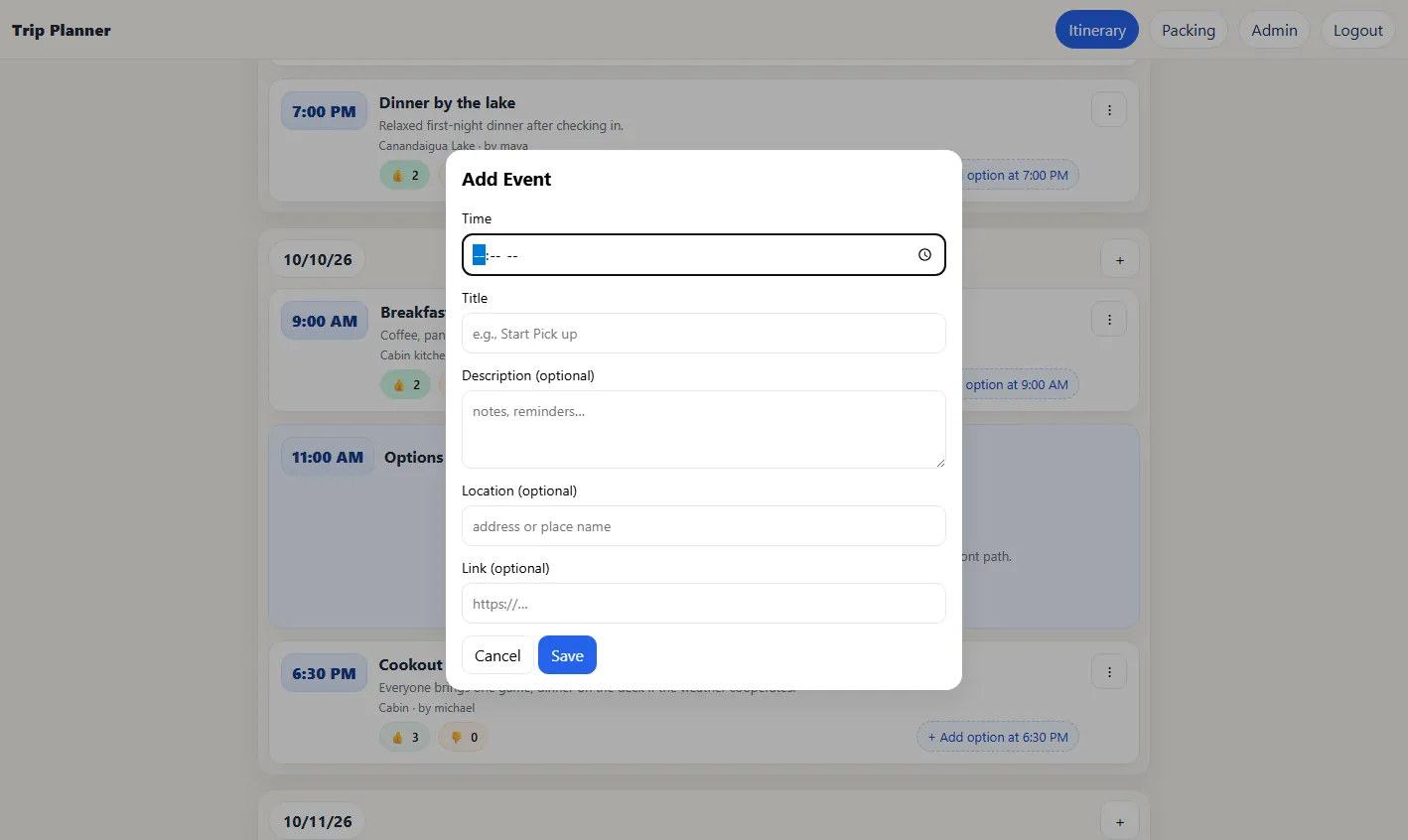
The event editor supports quick ideas as well as fully described reservations or activities.
Running the original project again
I returned to the August 2025 code in September 2026 and ran it locally with a completely synthetic Finger Lakes trip. I verified login, the itinerary and packing APIs, the administrator page, and the rendered browser interface. I then added a new coffee run through the real dialog and upvoted it; the itinerary updated through the live event stream without a manual refresh.
That run also made the next engineering steps concrete. Event routes currently address positions in an array, so stable record IDs would make edits resilient to sorting. A production revision should also add CSRF protection, environment-only secrets and debug settings, database migrations, automated tests, and shared pub/sub for multiple server workers. The current version remains a compact demonstration of how authentication, collaborative state, voting rules, file locking, and live browser updates fit together in one application.