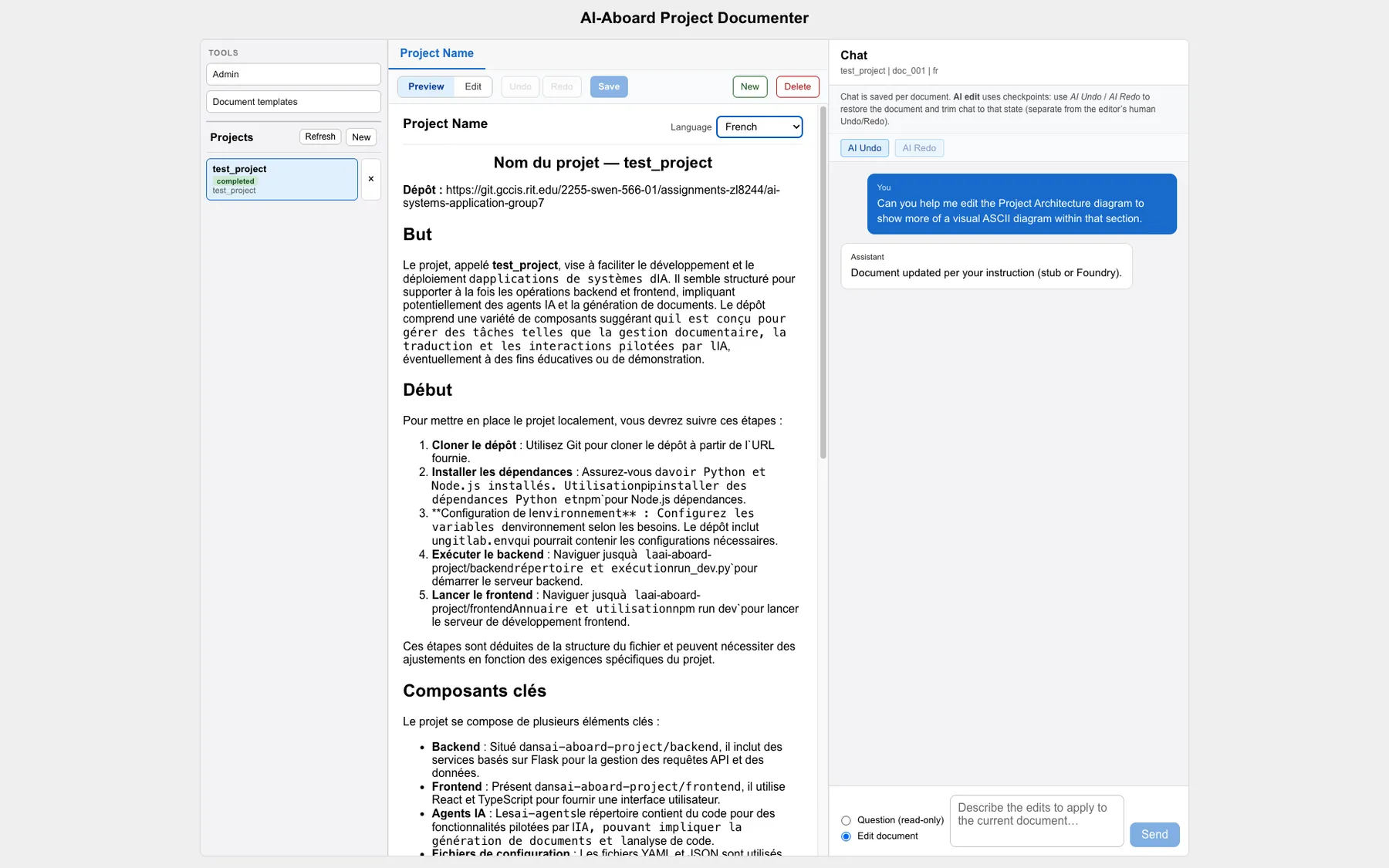
AI-Aboard was my four-person SWEN 566 team project: a full-stack workspace that cloned a GitHub or GitLab repository, filtered its source, and generated structured onboarding documentation with Microsoft Azure AI services. The result was more than a one-shot report: users could translate documents, ask questions about them, revise them through an AI editing chat, manage templates, and export the finished material. I led the UX and frontend work and also contributed across the Flask backend, task APIs, document lifecycle, translation, and our separate tool-using coding agent.
The onboarding problem
Joining an unfamiliar codebase usually means collecting context from source files, setup notes, architecture decisions, and teammates before useful work can begin. Our goal was to turn that scattered discovery process into a repeatable workflow: point AI-Aboard at a repository, choose the documents a new contributor needs, and receive an organized project workspace instead of a generic summary.
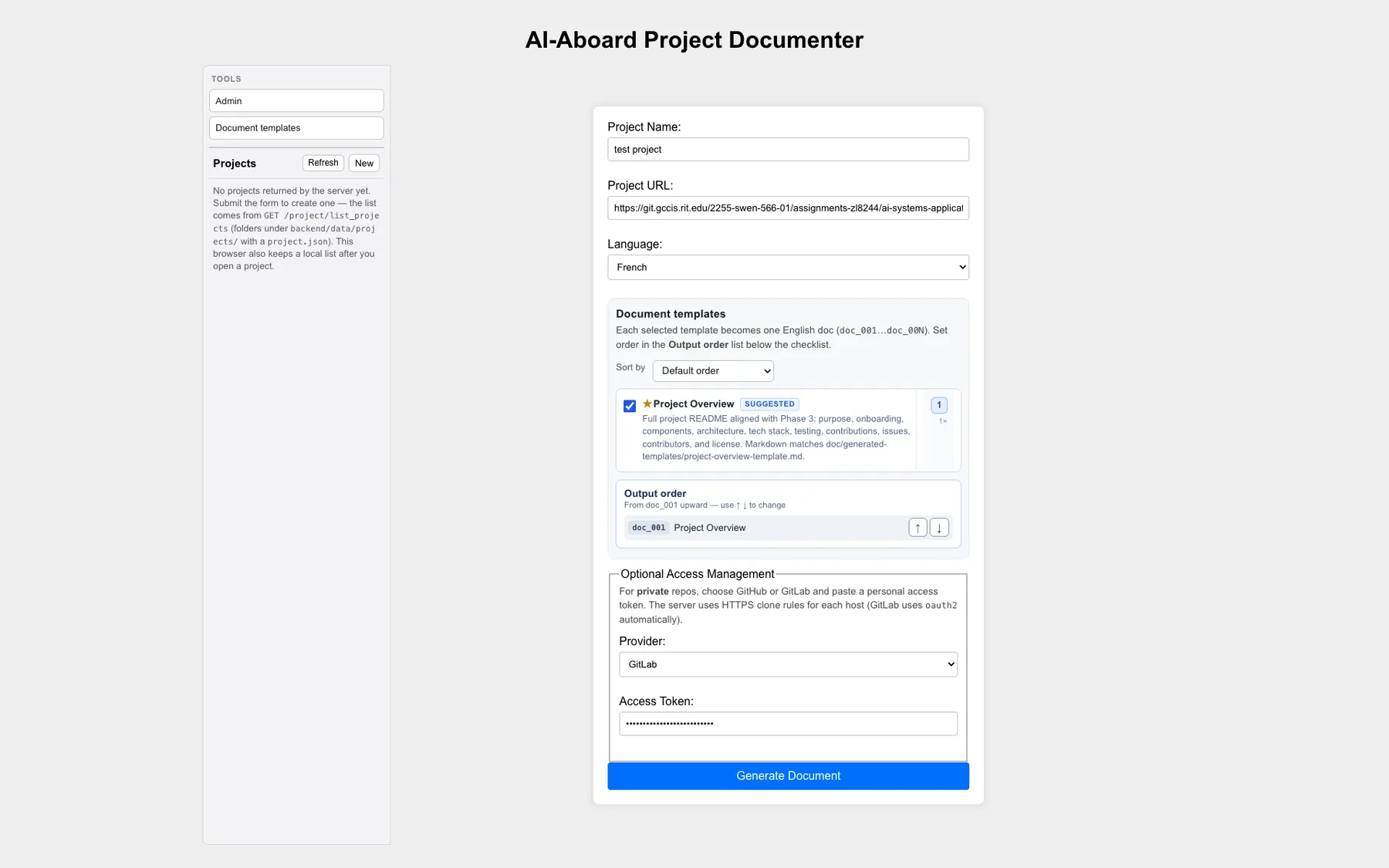
The project form accepted GitHub and GitLab HTTPS repositories, optional access credentials, a branch, a project description, and one or more documentation templates. The token shown in this preserved class demo is masked; no credential is included in the portfolio media.
From repository to documentation
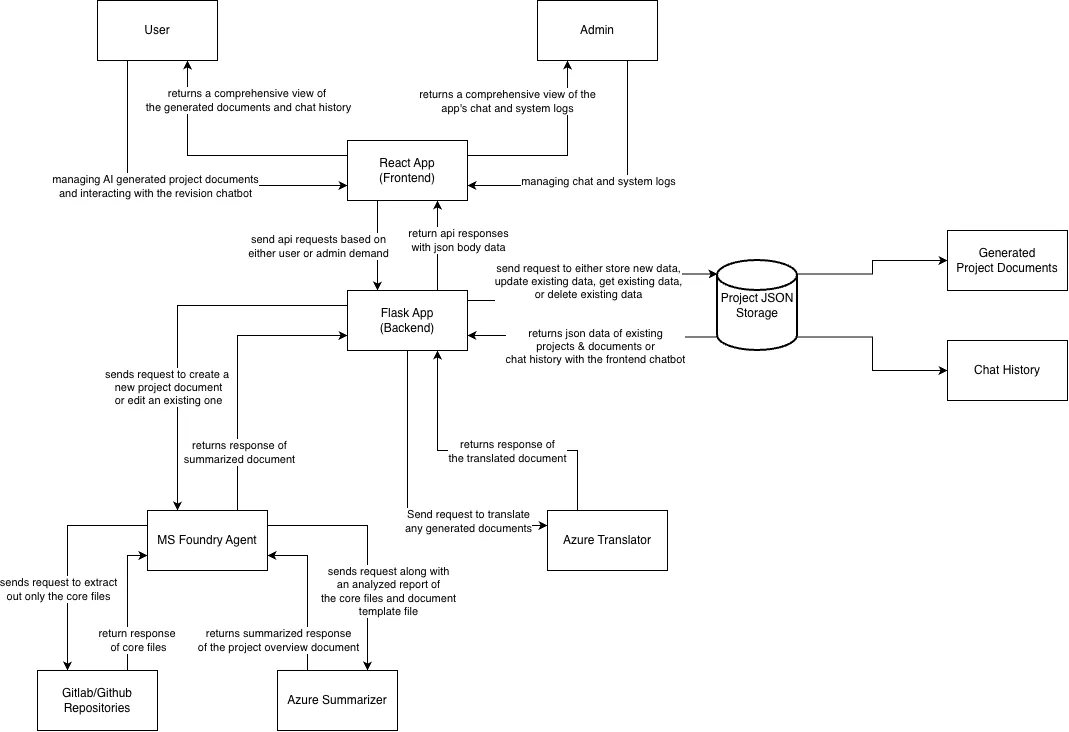
The Flask backend cloned the selected repository into a temporary workspace, ignored generated and dependency-heavy paths, extracted the relevant source, and built a bounded context for the AI pipeline. Azure AI Language could summarize large inputs before Azure OpenAI generated Markdown against the chosen templates. AI-Aboard then persisted the project metadata, source digest, documents, translations, and conversations so the output could be reviewed and improved over time.
The architecture separated repository ingestion, document generation, translation, chat, templates, and administration behind HTTP APIs. That boundary let the React interface remain responsive while the backend coordinated file work and remote Azure calls.
Long-running work without a frozen interface
Cloning a repository and waiting on model or translation APIs is network-bound work, so the final design did not hold the original browser request open. The backend created a task, started the work on a background thread, and immediately returned a task identifier. The frontend polled a task endpoint for progress and refreshed the project when the result had been written.
This was deliberately lightweight rather than a distributed job queue, but it gave the class project a clear asynchronous contract and made failures visible to the interface.
submit repository
        ↓
create task + return task ID
        ↓
background clone / summarize / generate
        ↓
frontend polls status
        ↓
persist and open documents
Documents became a workspace
Generation was the start of the workflow, not the finish. The document viewer rendered Markdown, kept the original and translated versions together, and supported create, save, delete, undo, and redo operations. A document-aware chat could answer questions or propose edits, with the editing history available when a generated change needed to be reversed.
Users could translate through Azure Translator or the Foundry-backed model path and export the results as Markdown, DOCX, or a print-ready PDF.
Reusable templates
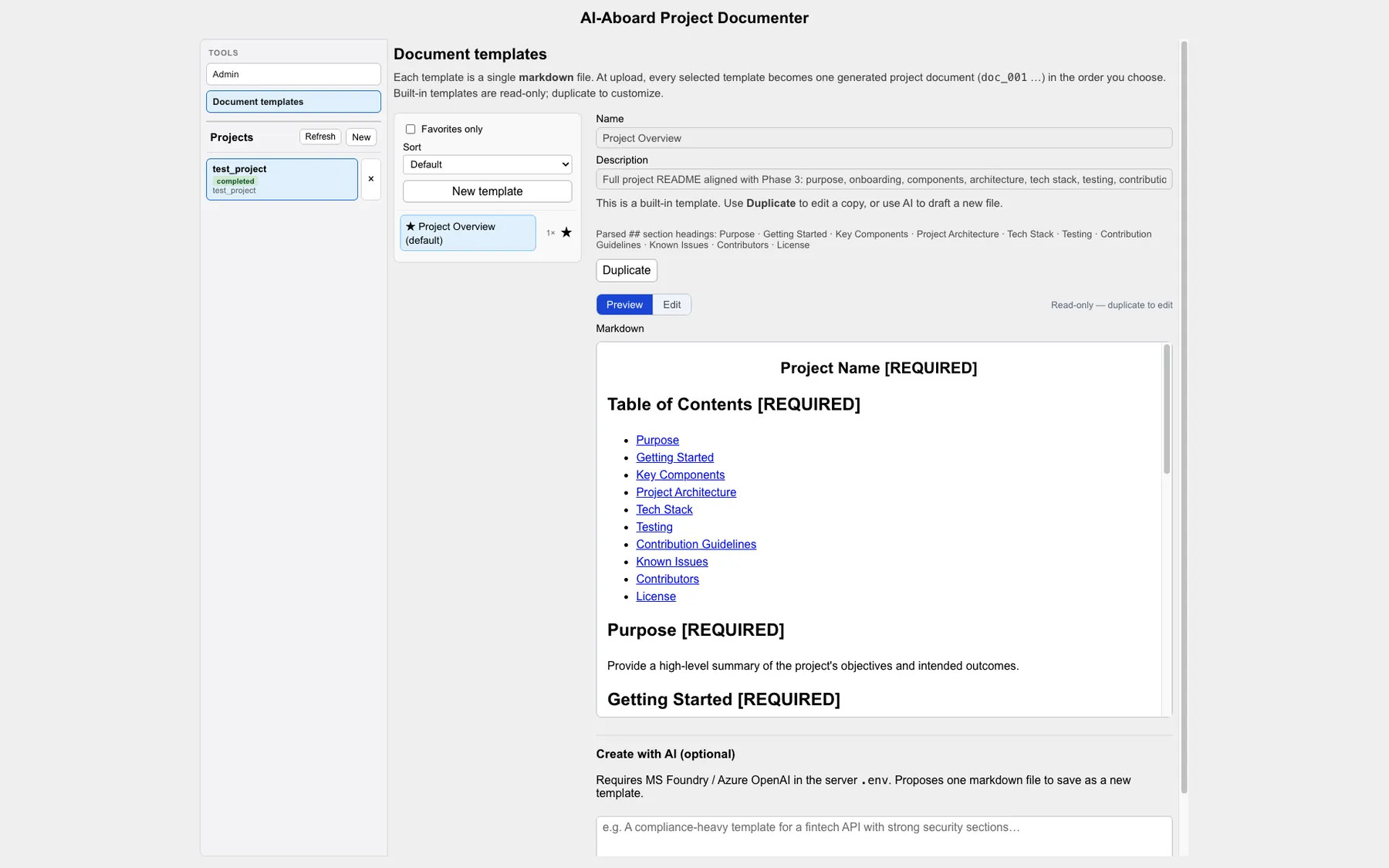
Templates made the system useful across very different repositories. The library included structures for executive summaries, developer onboarding, technical documentation, architecture, requirements, code quality, testing, deployment, API references, troubleshooting, and user guides. Users could inspect a template, duplicate it, edit it, or ask the model to generate a new one from a description.
Administration and observability
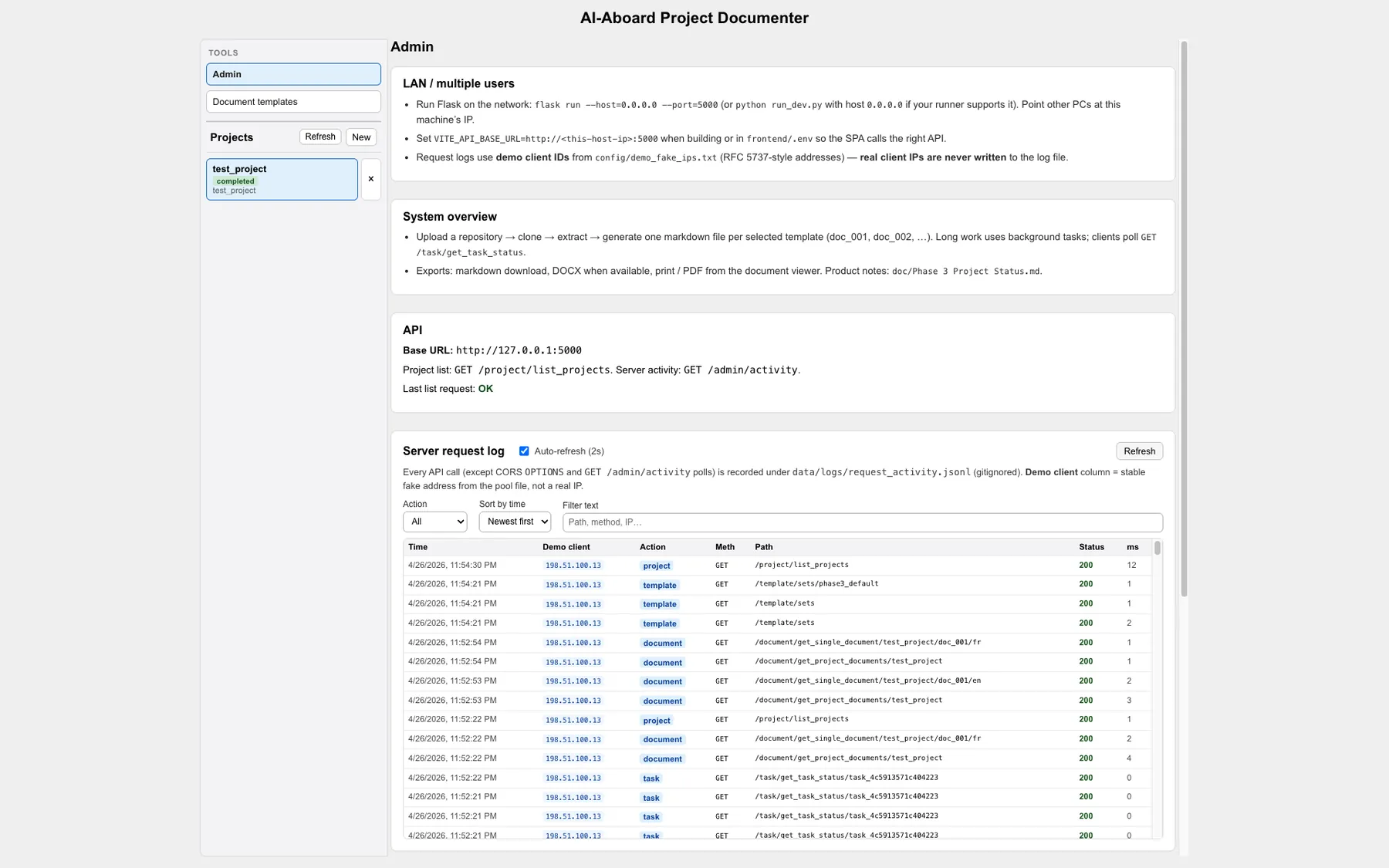
The admin view collected recent application activity, severity, source IP, message text, and timestamps behind filters for log level and search. The preserved demo used synthetic addresses and events, which made it possible to exercise the interface without exposing production data.
This page complemented backend file logging and made task failures or suspicious activity inspectable from the product itself.
My role and our coding agent
I was assigned the UX and frontend lead role, but my contribution expanded across the stack. My commits established the early interface, connected frontend and backend demo data, added and refined task routes, improved document generation, implemented translation flows, built document save/delete/undo/redo behavior, added chat-driven edits, and developed the template management APIs and screens.
Alongside AI-Aboard itself, we built a command-line coding agent backed by Microsoft Foundry. It could inspect files, search the project, apply edits, and run shell commands under frontend, backend, or full-stack configurations. We used Cursor for much of the day-to-day implementation and also exercised this custom agent against the codebase. The most important lesson was that generated changes still needed verification: better prompts, narrower tools, and explicit guardrails consistently produced safer results.
A four-person build
AI-Aboard was built by a four-person team. Liang Chu led project management and AI integration, Tyler Kranzen led architecture and backend work, I led UX and frontend development, and Zhiwei Liu focused on quality assurance and code quality. The boundaries were useful for ownership, but the final repository shows substantial overlap as we integrated the UI, APIs, Azure workflows, testing, and presentation milestones.
I reran the preserved project locally in September 2026. The React production build completed, all 41 backend tests passed, and the saved demo workspace loaded successfully. I did not send a repository to Azure during this review, so the portfolio describes the cloud-generation path from the source, tests, diagrams, and recorded class demonstrations rather than claiming a new paid cloud run.