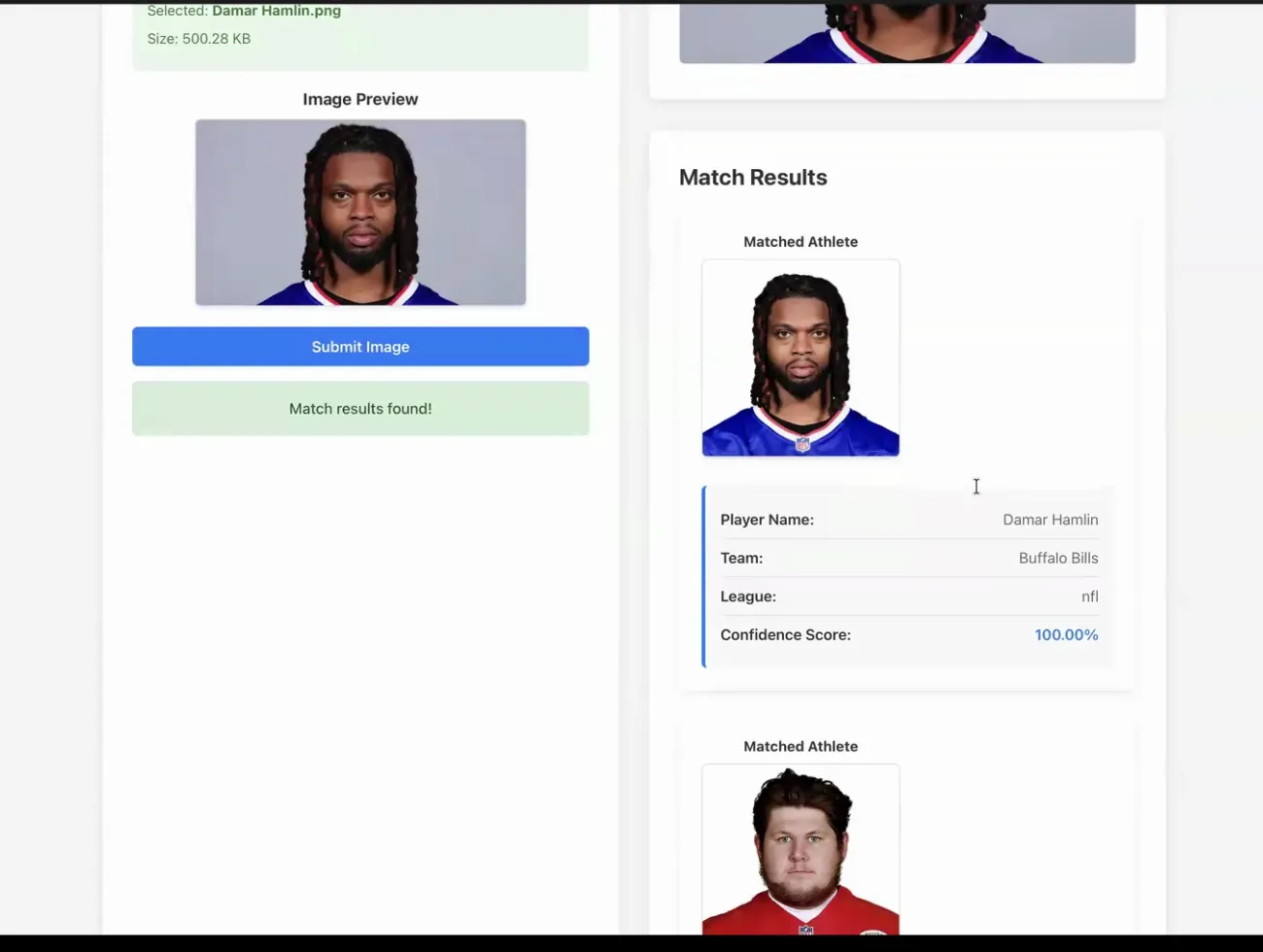
GameFace was my SWEN 514 team project, an AWS application that compared an uploaded photo with professional athletes and returned the five closest matches. I built the face-recognition side from an early local prototype into four Python Lambda functions, then used Terraform to connect them to Rekognition, S3, DynamoDB, API Gateway, CloudWatch, and SNS. The finished system combined that backend with my teammates' sports-data scraper and React interface in one repeatable deployment.
What we built
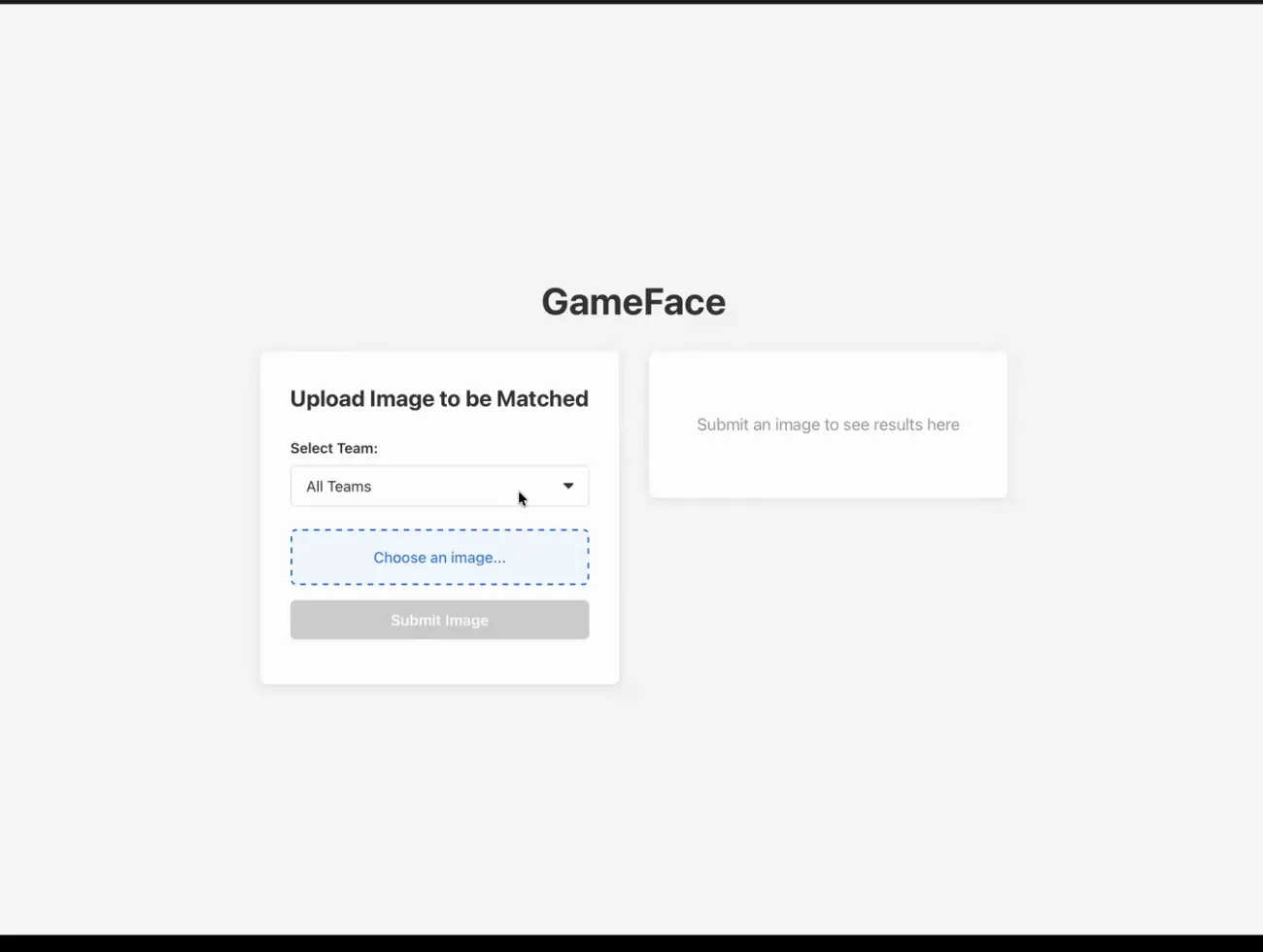
The idea was simple: upload a face and see which professional athlete it looks like. The finished prototype let a user search across every available team or narrow the comparison to the Kansas City Chiefs or Buffalo Bills, which were the two teams loaded for our final demo.
Behind that simple screen was a complete cloud workflow. The system collected athlete data and photos, indexed each face into a team-specific Rekognition collection, accepted a user's image, searched the selected collections, and returned the top five matches with player details and similarity scores.
My part of the system
I owned the Rekognition portion of the project. I started with local Python scripts that created a face collection, indexed a directory of player photos, searched it with a test image, and even used a webcam to compare a live photo with the closest player. That small experiment gave me a way to understand the API before placing it inside the team's larger AWS architecture.
I then turned that prototype into four Lambda functions. One indexed athlete faces and recorded their Rekognition face IDs in DynamoDB. Another uploaded user images to a private S3 bucket. The search function compared an uploaded image across one or more team collections and ranked the results. The final function fetched a player's DynamoDB record and generated a temporary S3 URL for the interface.
I also wrote the Terraform that packaged those functions, created their roles and service-specific permissions, exposed the endpoints through API Gateway, and configured the user-upload bucket. The bucket blocked public access and used server-side encryption, while the API returned browser-friendly CORS responses for the React client.
One command for the complete system
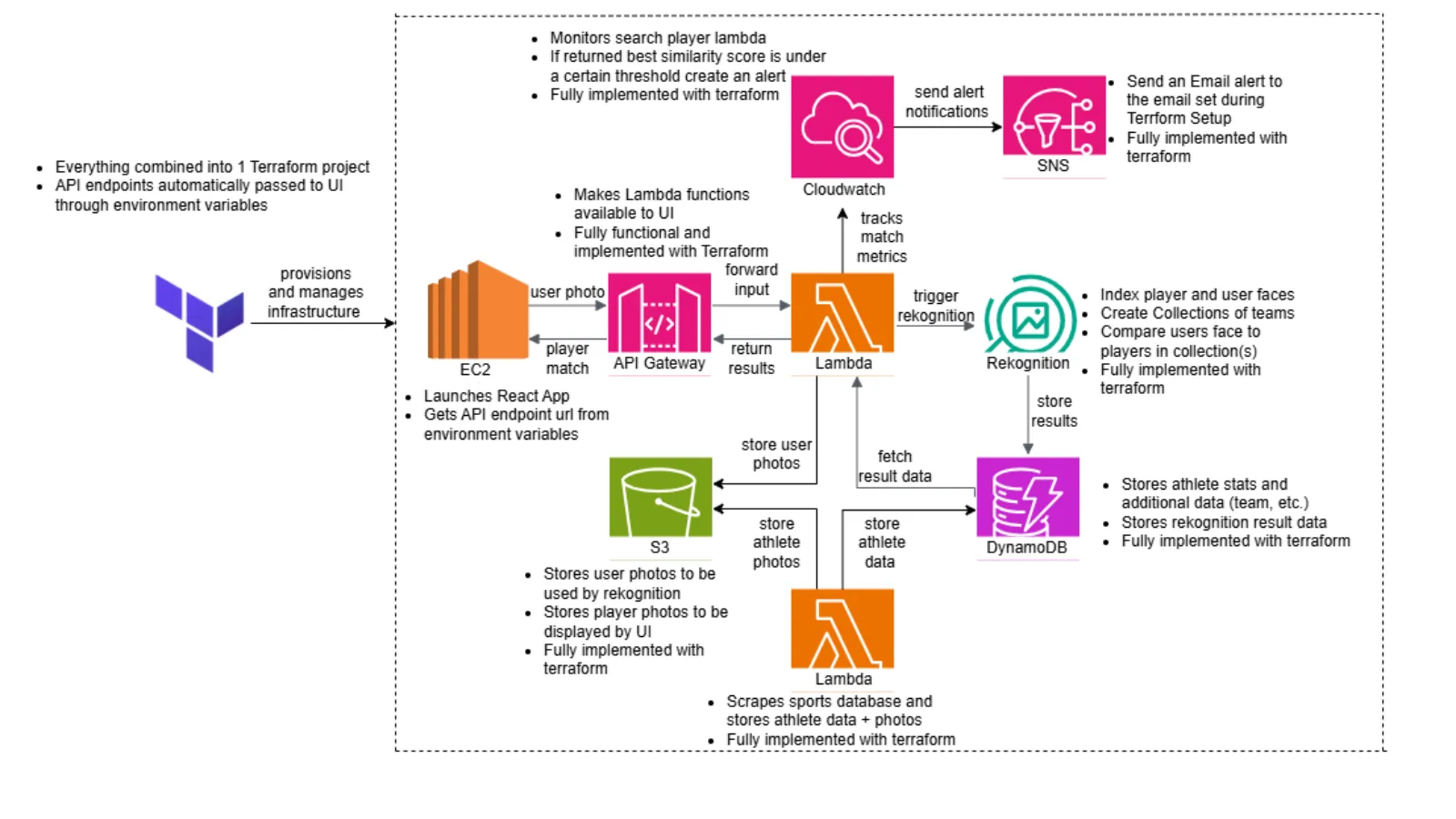
Our early version split the backend and frontend into separate Terraform processes, and someone still had to copy the API URL into the UI. By the final check-in, we had combined the pieces into one Terraform project. The generated API endpoint passed into the EC2 startup script as an environment variable, so the React app could start with the correct backend automatically.
The recorded deployment created 48 AWS resources with one terraform apply. It provisioned the storage, database, Lambda functions, API routes, monitoring, and the EC2 instance that hosted the interface. I also corrected the startup order so the athlete scraper finished before the face indexer ran. Without that dependency, the indexer could scan DynamoDB too early and miss players added later in the scrape.
Following a match through AWS
When a user submitted an image, the browser encoded it and called the upload endpoint. A Lambda function decoded the image, gave it a unique S3 key, and returned its S3 location. The browser then called the search endpoint with that location and the selected team names.
The search Lambda converted each team name into a valid Rekognition collection ID and searched the collections independently. It combined duplicate player IDs, sorted every result by similarity, and returned the requested number of matches. The interface used the player-details endpoint to pair those scores with the athlete's name, team, league, and photo.
React UI
  | upload photo
  v
API Gateway -> Upload Lambda -> S3
  | image location + selected teams
  v
Search Lambda -> Rekognition collections
  | ranked player IDs + similarity
  v
Player Details Lambda -> DynamoDB + S3 -> React UI
Monitoring weak matches
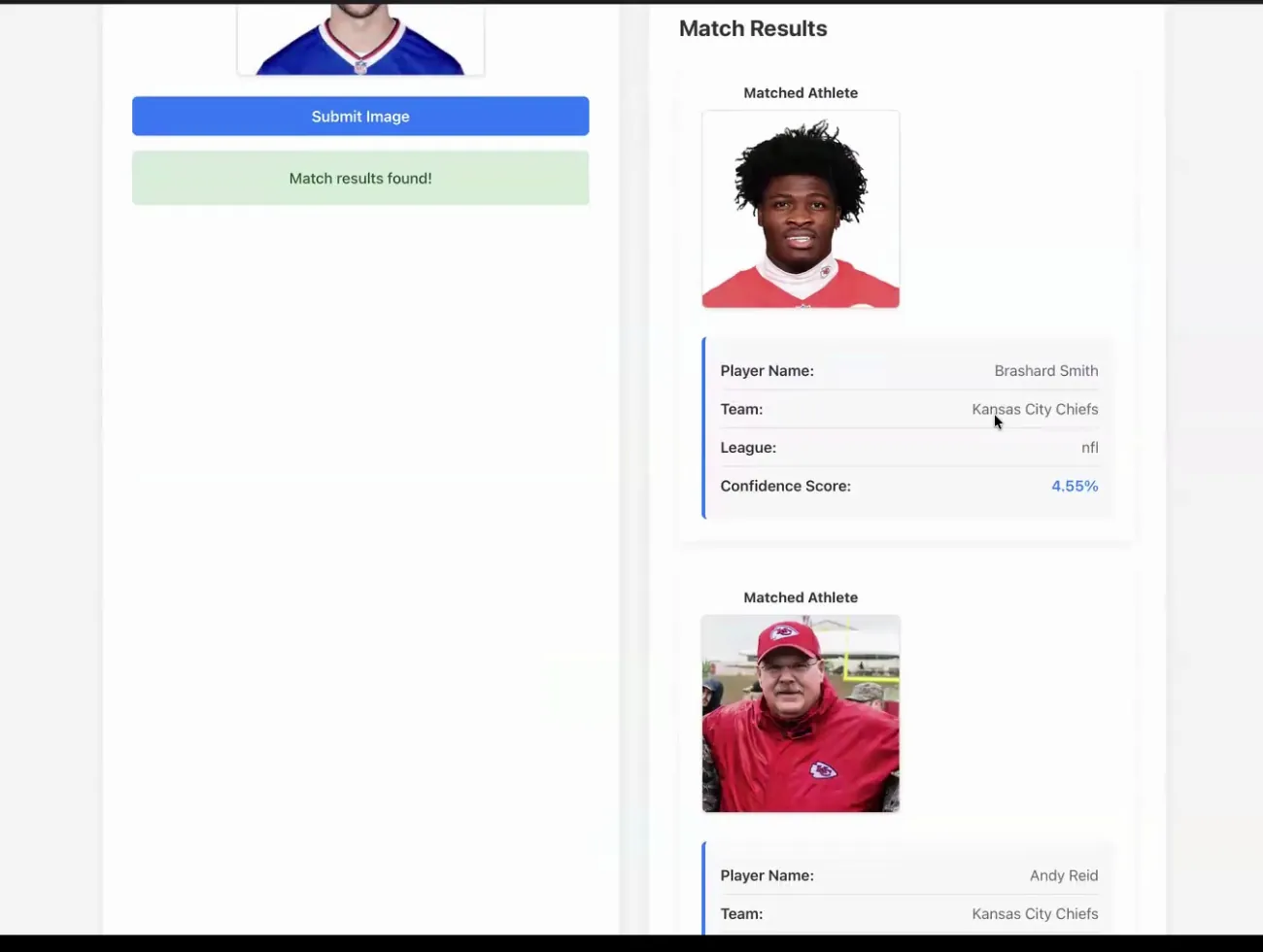
A low score could mean that the uploaded person was not represented in the athlete collection. I added a custom CloudWatch metric for the best similarity score from each search, then connected it to a Terraform-managed alarm and SNS email subscription. In our demo, a best match below 10 percent triggered an email so the team could see that the search had produced an unusually weak result.
The monitoring call was intentionally non-fatal. If CloudWatch could not accept a metric, the matching request still returned its results to the user instead of turning an observability problem into an application failure.
Building it as a team
My teammates built the sports-data scraper and React interface while I focused on face recognition and its AWS deployment. The project became most interesting when those parts had to work together. We had to agree on S3 locations, DynamoDB fields, API payloads, environment variables, and the order in which resources and data became available.
That integration work changed the project from several working pieces into one system another person could deploy. We produced both an AMI-based setup path and a manual CloudShell guide, confirmed the SNS subscription, opened the IP address Terraform returned, tested real matches and intentionally weak ones, and finished by tearing the complete stack down with Terraform.
Demo
This excerpt from our final team check-in shows the deployed interface, the team filter, and a successful search. The uploaded Damar Hamlin image returns itself at 100 percent, followed by the other closest athletes from the selected collections.